 Siftwren Product Filter
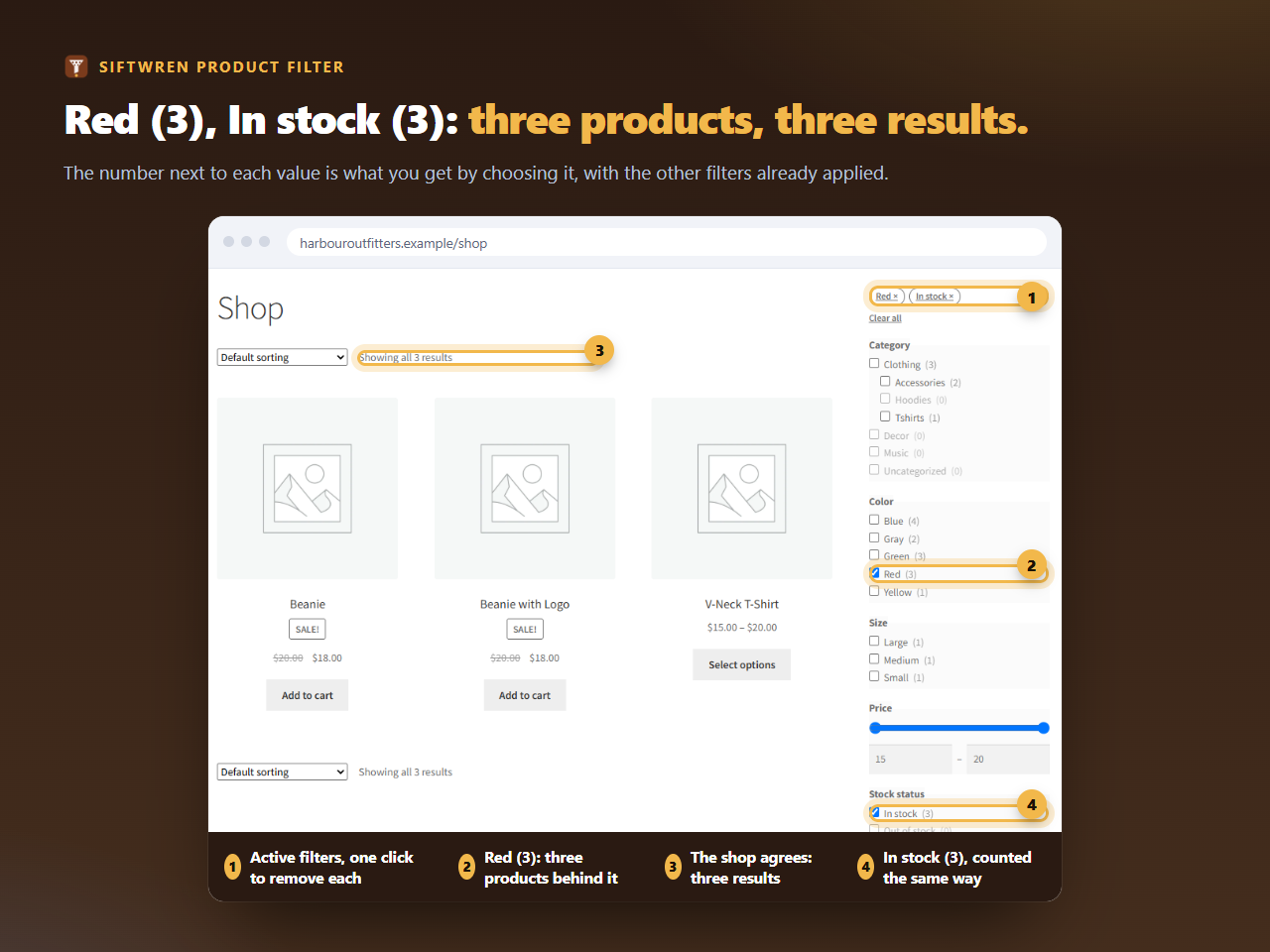
The set
- Category, as checkboxes, so shoppers can move from Clothing to Tshirts;
- Attribute: Color, any of them;
- Attribute: Size, any of them, with the sizes ordered Small, Medium, Large in WooCommerce;
- Price, as the slider;
- Stock status, so shoppers can ask for what is on the shelf.
That is the set on our test shop, built from WooCommerce’s own sample clothing. It adds fourteen database reads on a shop page and writes nothing, measured on a real WordPress.
Why the stock rule matters most
Clothing is the category where a filter is judged on its sold-out sizes. A shopper filters for Medium, in stock, and expects every product on the page to have a medium she can buy. A filter that counts the parent says the product is in stock and in medium, in two separate facts, and sends her to a page where medium is gone. The tool below lets you make a variation sold out and see what each method says.
Does your filter count the parent?
Change which variation is sold out and see the two ways of counting side by side. Nothing you type leaves this page.
On a phone
Most clothing shoppers arrive on a phone. Under 768 pixels the set folds behind a Filters button that shows how many filters are on, and unfolds to the same checkboxes. Nothing needs to be built for it.
If your sizes live in a custom field or are typed per product, they will not appear as a filter. Move them into a global attribute first, which is a one-off tidy that also makes the shop’s own pages easier to manage.