 Siftwren Product Filter
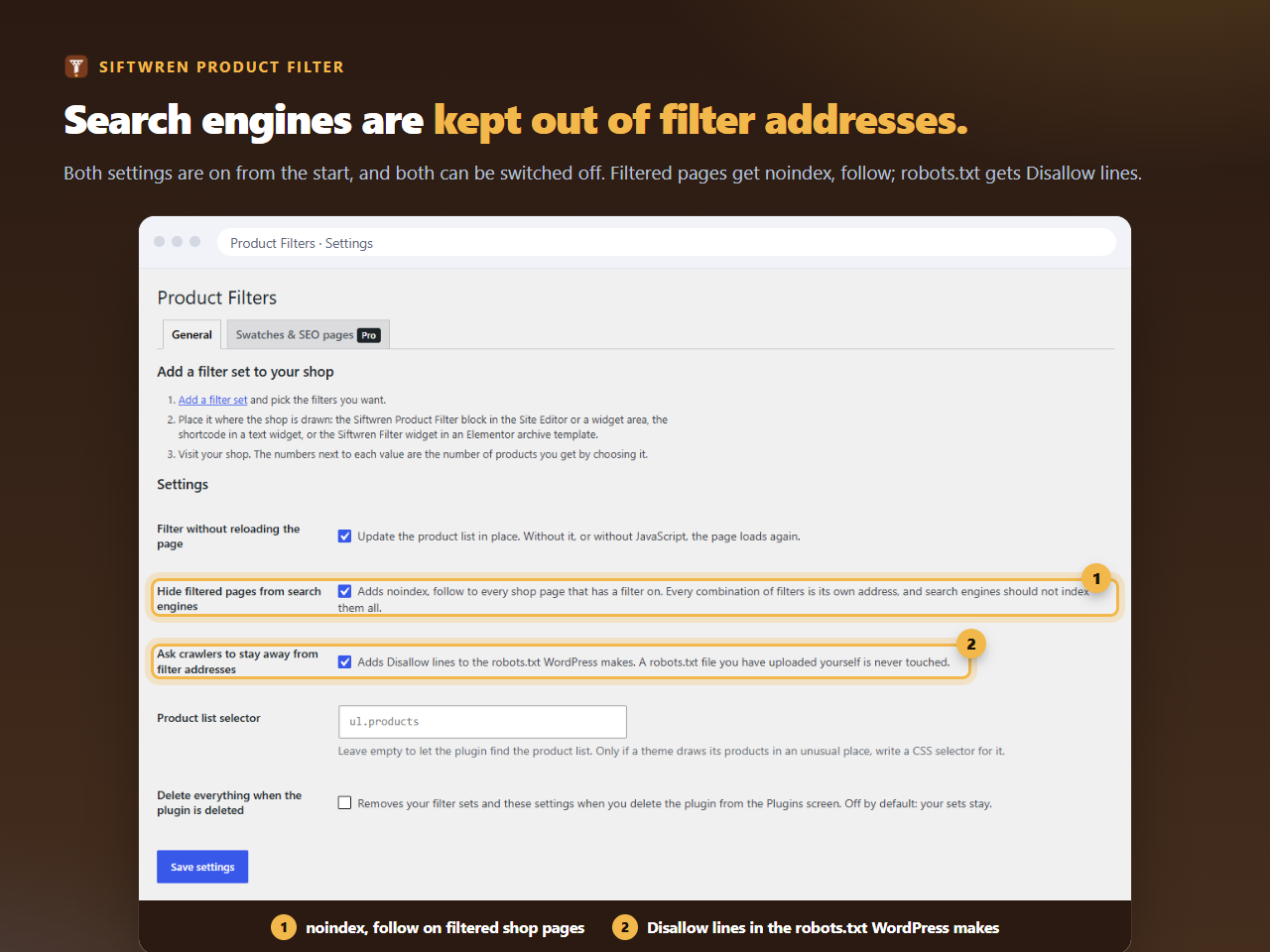
The two settings
Both are on the plugin’s Settings page, ticked from the start, and each can be switched off.
- Hide filtered pages from search engines adds
noindex, followto a shop or category page that has a filter on. It goes through WordPress’s own robots tag, so it joins whatever else your theme and SEO plugin say rather than printing a second tag. - Ask crawlers to stay away from filter addresses adds five Disallow lines to the virtual robots.txt. A robots.txt file you uploaded yourself is never touched.
Try the lines against your own addresses. Anything with a filter, a price range or a rating is kept out; the plain shop and a sorted shop are not.
Would robots.txt keep a crawler off this address?
The five lines Siftwren adds, applied to the addresses you paste. Nothing you type leaves this page.
The one catch
The two do not add up the way people expect. A crawler that obeys Disallow does not fetch the page, so it never reads the noindex. For addresses it has never crawled, that is what you want: it never learns the page exists. For an address that was already indexed before you installed the plugin, you may prefer to let it be crawled once so the noindex can be read. In that case, switch off the robots.txt setting for a few weeks, and switch it on again afterwards.
What this does not do
It does not hide your category pages or your products. Only addresses with filter parameters in them are affected: filter_ for attributes, sw_ for category, tag and brand, min_price, max_price and rating_filter.
It also does not remove addresses that are already in the index. For that, Google’s own tools are the way. Pro has a way to let a few chosen combinations into the index, which is the opposite problem; the landing pages guide explains it.