 Siftwren Product Filter
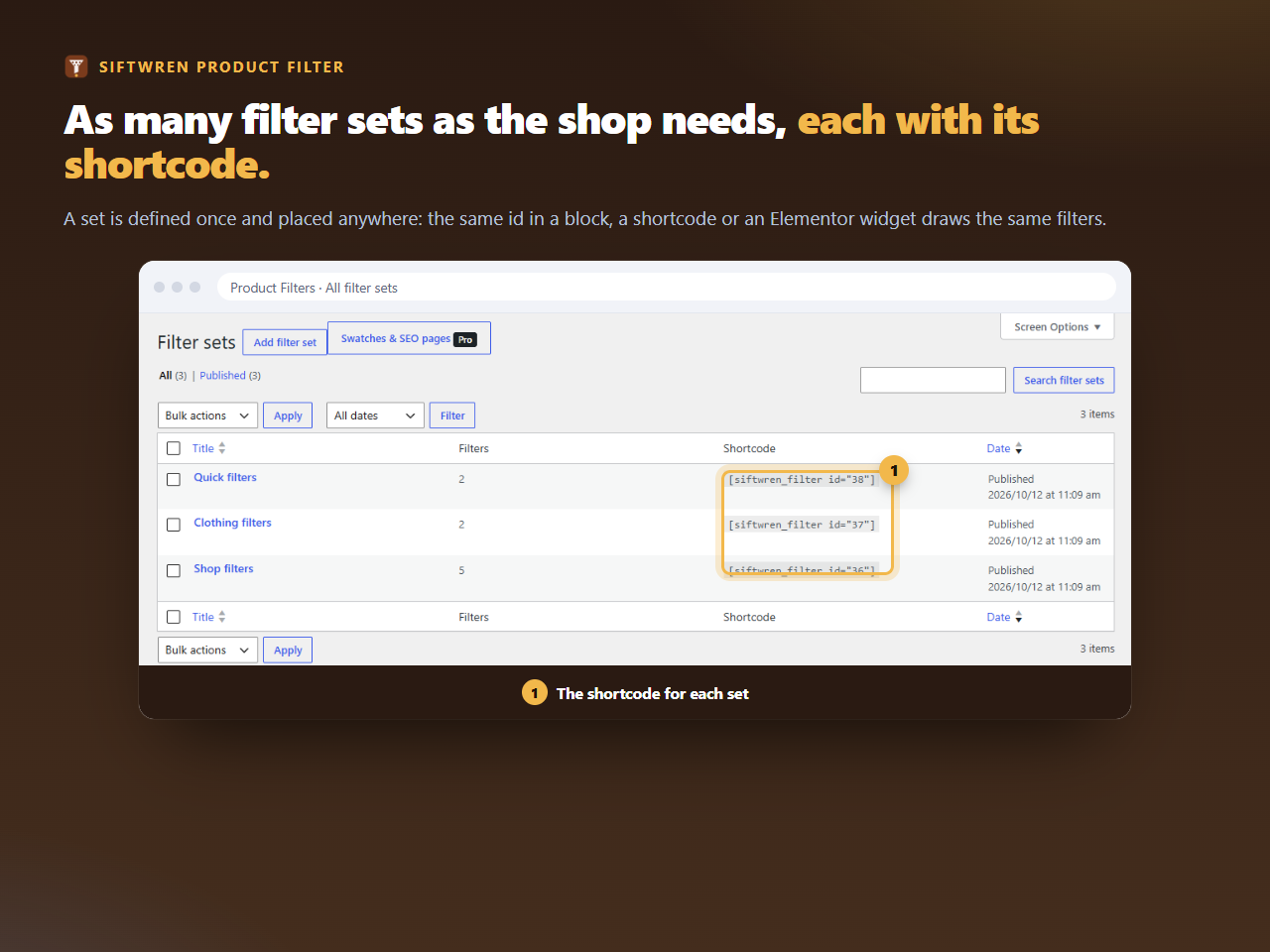
Where to find the id
In the filter set’s editor, the box Where to show this set shows the whole shortcode, ready to copy. The list Product Filters → All filter sets has a column with the shortcode for each set.
Where to put it
- a Text widget in a sidebar of a classic theme;
- a shortcode block in a block widget area or a template;
- a page builder’s shortcode or HTML element;
- a classic theme’s template, with
do_shortcode()in PHP, if you are comfortable editing a child theme.
Where it does not draw
On a page that is not a product archive. A visitor sees nothing. A shop manager sees one line, A filter set is drawn on the shop page and on product category, tag and brand pages. It is not shown here., so a shortcode pasted on the wrong page explains itself. An id that does not exist, or a set that is not published, gives the same kind of note to the manager and nothing to visitors.
Same output as the block
The shortcode, the block and the Elementor widget all call the same function, so the same set looks the same in each. Style and script are queued only when a set is actually drawn, so a page with a shortcode that draws nothing loads nothing extra.
If the shortcode appears as plain text on the page, the place you pasted it into does not run shortcodes. Try a shortcode block, or a Text widget instead.